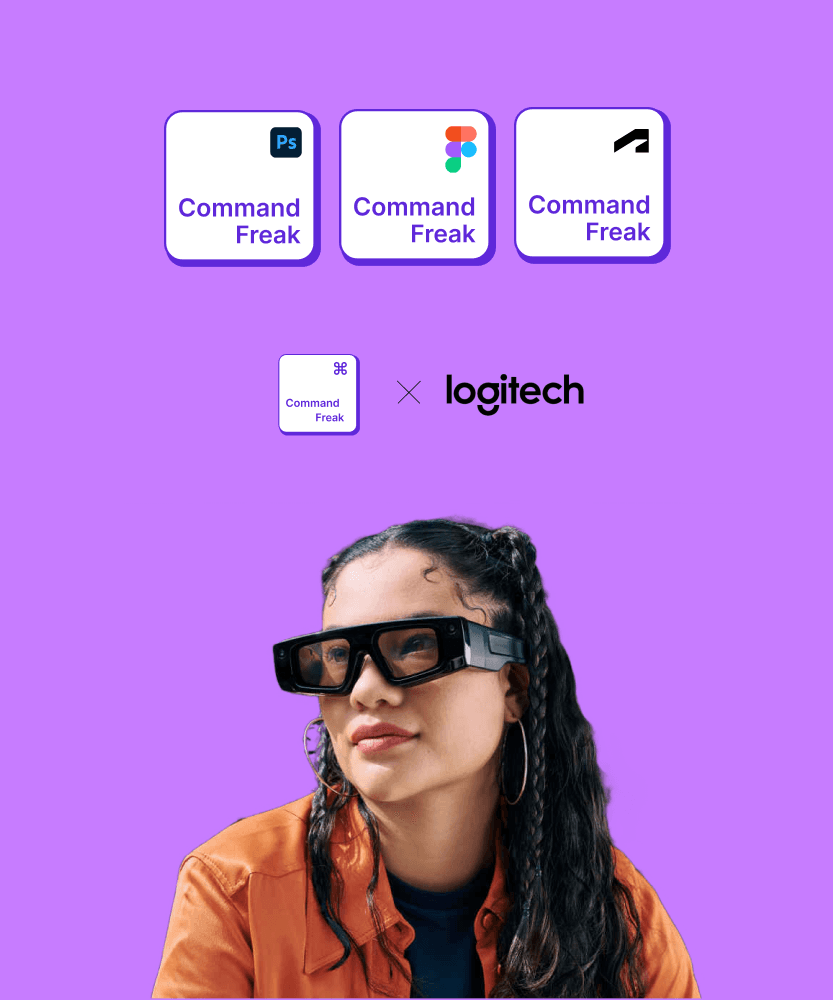
Command Freak
Command Freak
An AR tool to help you remember your keyboard’s shortcuts
An AR tool to help you remember your keyboard’s shortcuts
An AR tool to help you remember your keyboard’s shortcuts
Augmented Reality Prototype
Augmented Reality Prototype
MY ROLE
UX Designer
TEAM
Mahshid (UI Designer), Mariia (AR Dev)
TIMELINE
Sep - Dec 2024
SOftware


Project Description
Project Description
Problem
45% users struggle to remember more than 8-12 shortcuts actively, leading them to default back to mouse usage even for common tasks.
45% users struggle to remember more than 8-12 shortcuts actively, leading them to default back to mouse usage even for common tasks.
Solution
We created an AR filter that allows people to learn and use keyboard shortcuts easier by visually guiding them through an interactive, real-time experience customized for their unique device.
We created an AR filter that allows people to learn and use keyboard shortcuts easier by visually guiding them through an interactive, real-time experience customized for their unique device.
Design Process
Design Process
Design Process
Secondary Research
Our team conducted secondary research through market research as well as reddit to identify the challenges faced by the users with keyboard shortcuts.
Our team conducted secondary research through market research as well as reddit to identify the challenges faced by the users with keyboard shortcuts.
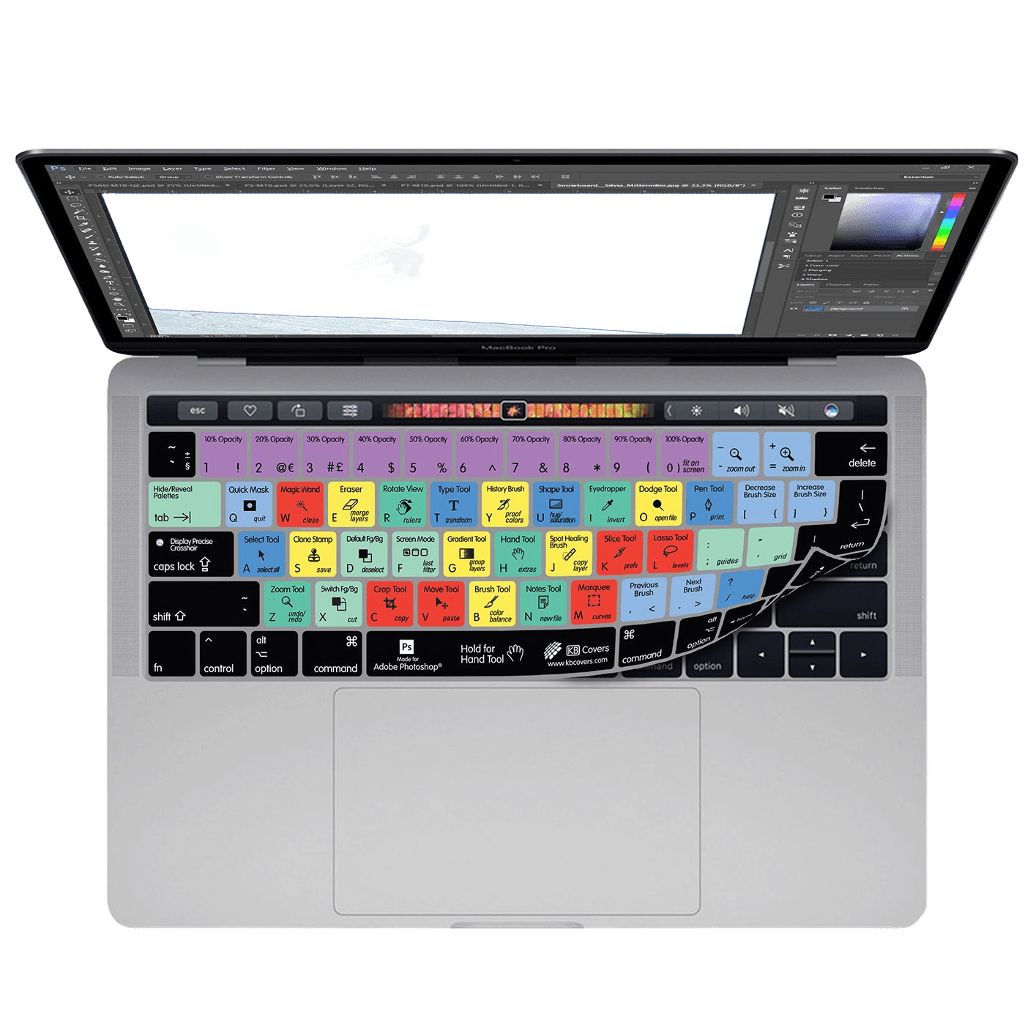
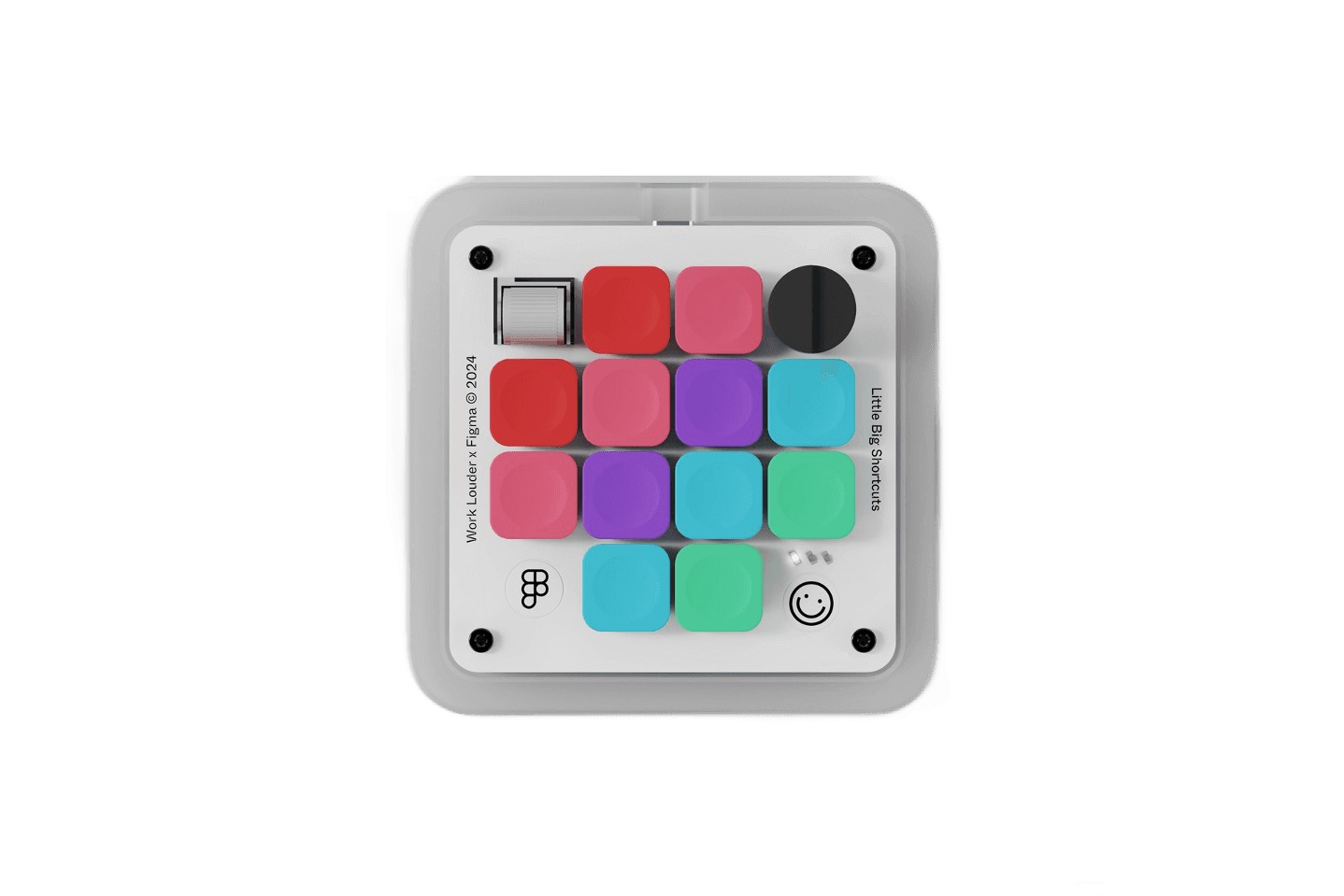
Our team also researched alternatives available in the market. We discovered both physical and digital alternatives. Physical alternatives such as keyboard covers and custom macro keyboards. Digital solution was to go through software documentation or try to learn shortcuts within the app.
Our team also researched alternatives available in the market. We discovered both physical and digital alternatives. Physical alternatives such as keyboard covers and custom macro keyboards. Digital solution was to go through software documentation or try to learn shortcuts within the app.
45%
45%
45%
Memory Recall
Memory Recall
Memory Recall
Users struggle to remember more than 8-12 shortcuts actively, leading them to default back to mouse usage even for common tasks.
Users struggle to remember more than 8-12 shortcuts actively, leading them to default back to mouse usage even for common tasks.
Users struggle to remember more than 8-12 shortcuts actively, leading them to default back to mouse usage even for common tasks.
38%
38%
38%
Inconsistency
Inconsistency
Inconsistency
Same action often requires different shortcuts in different programs (like Ctrl+Z vs Cmd+Z), causing confusion and errors when switching between applications.
Same action often requires different shortcuts in different programs (like Ctrl+Z vs Cmd+Z), causing confusion and errors when switching between applications.
Same action often requires different shortcuts in different programs (like Ctrl+Z vs Cmd+Z), causing confusion and errors when switching between applications.
30%
30%
30%
Complexity
Complexity
Complexity
Multi-key combinations like Ctrl+Shift+Esc force awkward finger positions, making hands and wrists uncomfortable after long use.
Multi-key combinations like Ctrl+Shift+Esc force awkward finger positions, making hands and wrists uncomfortable after long use.
Multi-key combinations like Ctrl+Shift+Esc force awkward finger positions, making hands and wrists uncomfortable after long use.
Competitor Analysis
Keyboard Covers restrict the users to shortcuts for one software. But the pro is that the shortcuts are in front of you always.
Keyboard Covers restrict the users to shortcuts for one software. But the pro is that the shortcuts are in front of you always.
Macro keyboard is an additional accessory that users have to carry so users use it on their desk setup exclusively. Pro is that they offer shortcuts for multiple softwares.
Macro keyboard is an additional accessory that users have to carry so users use it on their desk setup exclusively. Pro is that they offer shortcuts for multiple softwares.
Ideation
We came up with the concept to build a prototype for AR Glasses as they are an upcoming technology, which will enable us to have dynamic shortcuts being displayed for multiple softwares. This will enable us to leverage the advantages of our competitors by having compatibility for different softwares as well as having the shortcuts be infront of the users eyes all the time.
We came up with the concept to build a prototype for AR Glasses as they are an upcoming technology, which will enable us to have dynamic shortcuts being displayed for multiple softwares. This will enable us to leverage the advantages of our competitors by having compatibility for different softwares as well as having the shortcuts be infront of the users eyes all the time.
Design & Prototyping
We created interactive prototypes and iteratively refined designs based on mentor feedback to enhance usability and visual appeal.
We created interactive prototypes and iteratively refined designs based on mentor feedback to enhance usability and visual appeal.
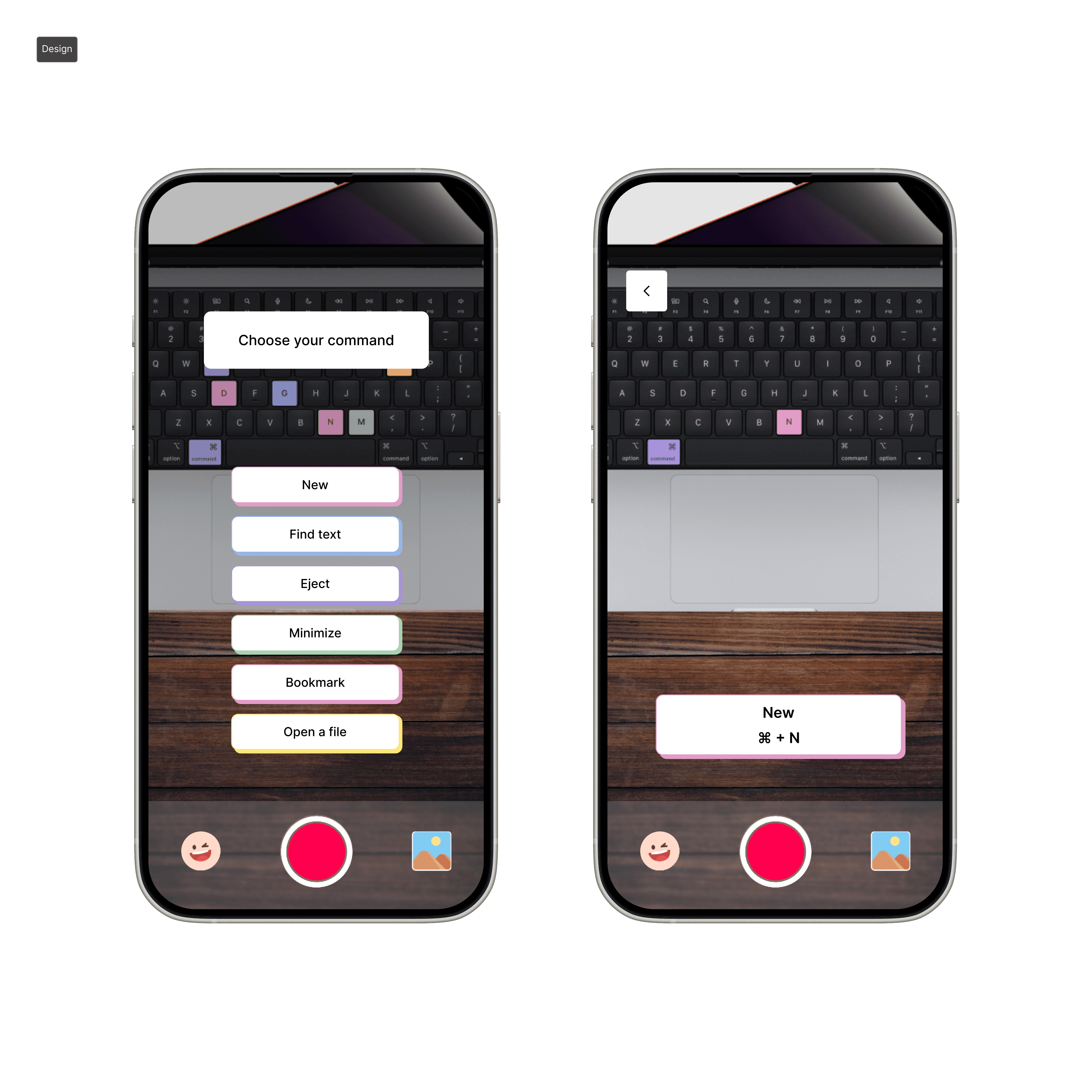
Development & Implementation
We built the prototype on effect house to demonstrate the final vision of the product, prioritizing feature development based on user feedback and technical feasibility.
We built the prototype on effect house to demonstrate the final vision of the product, prioritizing feature development based on user feedback and technical feasibility.
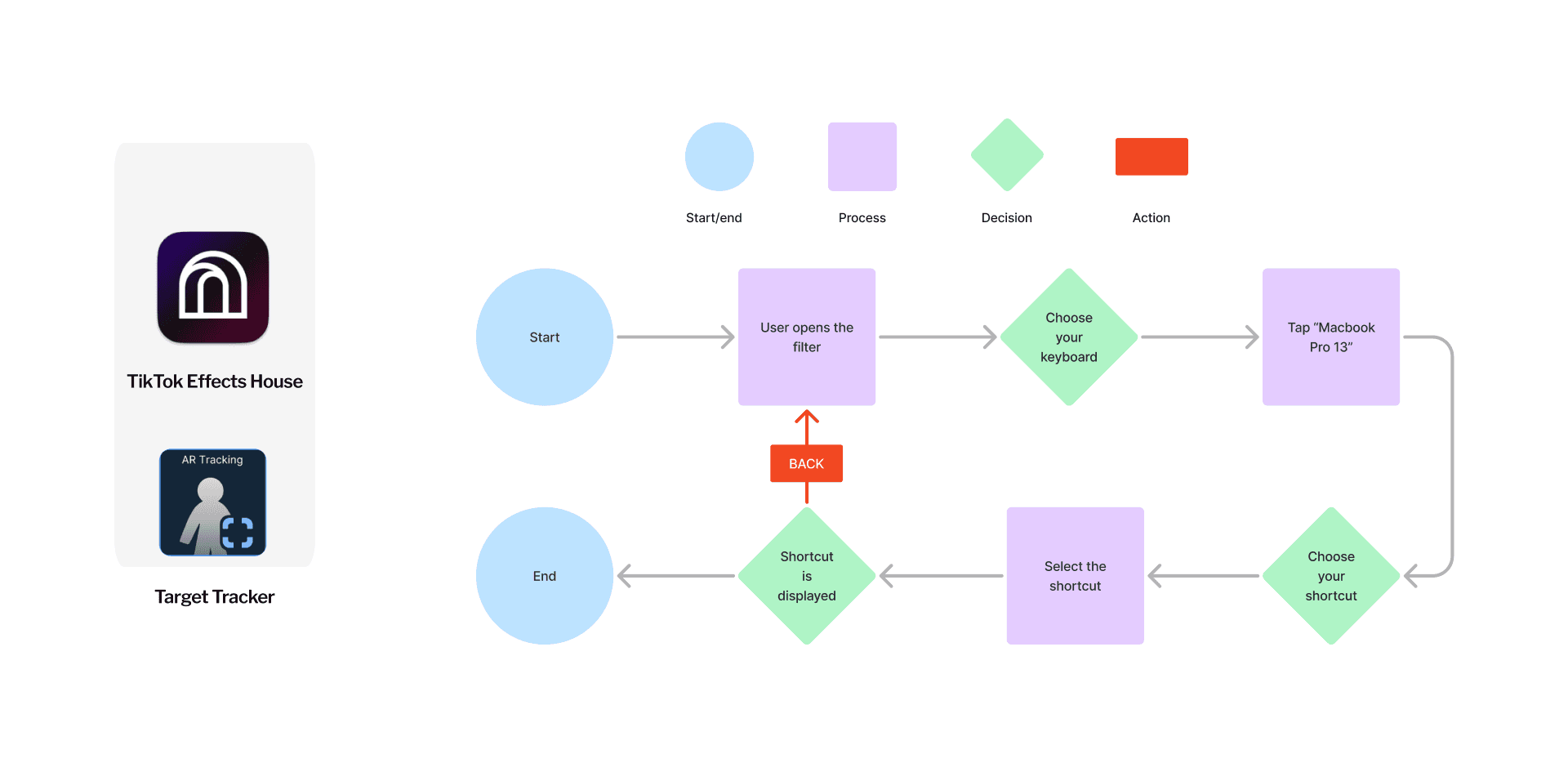
Event Flow / Sudo Code
Event flow helps us understand how the user will interact with the application. Understanding the event flow helps in reducing the errors during the development stage.
Event flow helps us understand how the user will interact with the application. Understanding the event flow helps in reducing the errors during the development stage.
User Testing
We ran a user test with 12 students to gather user feedback on the prototype and iteratively optimized the filter based on usability metrics and user satisfaction.
We ran a user test with 12 students to gather user feedback on the prototype and iteratively optimized the filter based on usability metrics and user satisfaction.
Iteration on the Problems
Problem 1
Problem 1
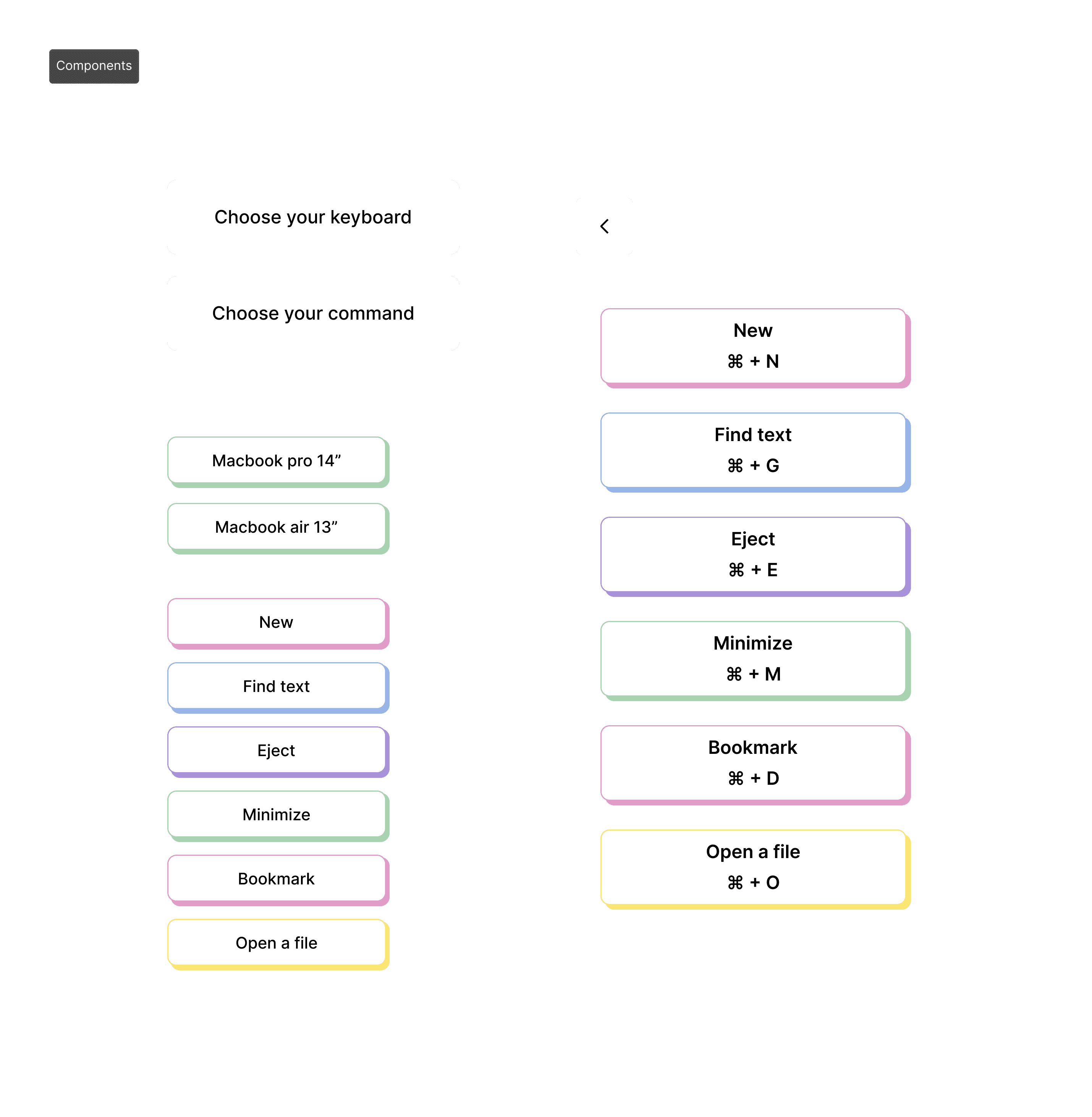
We encountered a challenge in implementing a dynamic user interface due to platform constraints with TikTok Effect House. To solve this, I leveraged Figma to design static UI screens, imported them as clickable image assets, and strategically mapped click actions to show/hide the elements.
We encountered a challenge in implementing a dynamic user interface due to platform constraints with TikTok Effect House. To solve this, I leveraged Figma to design static UI screens, imported them as clickable image assets, and strategically mapped click actions to show/hide the elements.
Problem 2
Problem 2
We discovered inconsistent lighting conditions caused poor scanning reliability for the custom keyboard image tracker. To resolve this, I sourced Apple’s official keyboard imagery captured in a controlled environment with ideal lighting and integrated it as the tracking reference. This simple yet strategic swap increased scan success rates from 50% to 90%, ensuring consistent performance across environments.
We discovered inconsistent lighting conditions caused poor scanning reliability for the custom keyboard image tracker. To resolve this, I sourced Apple’s official keyboard imagery captured in a controlled environment with ideal lighting and integrated it as the tracking reference. This simple yet strategic swap increased scan success rates from 50% to 90%, ensuring consistent performance across environments.
Features
Features
Features
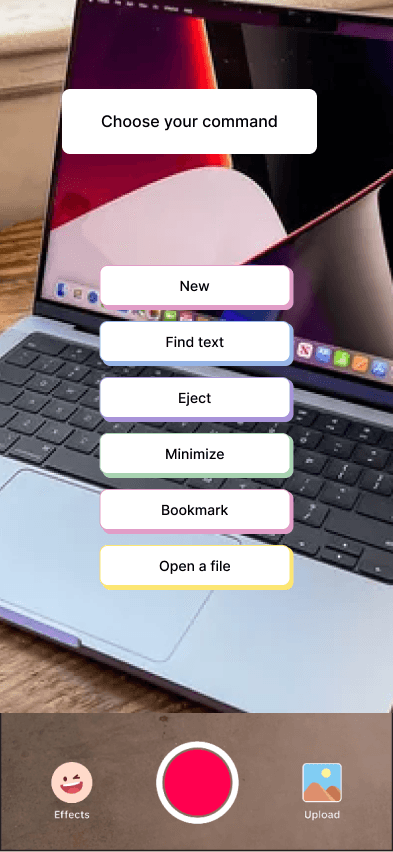
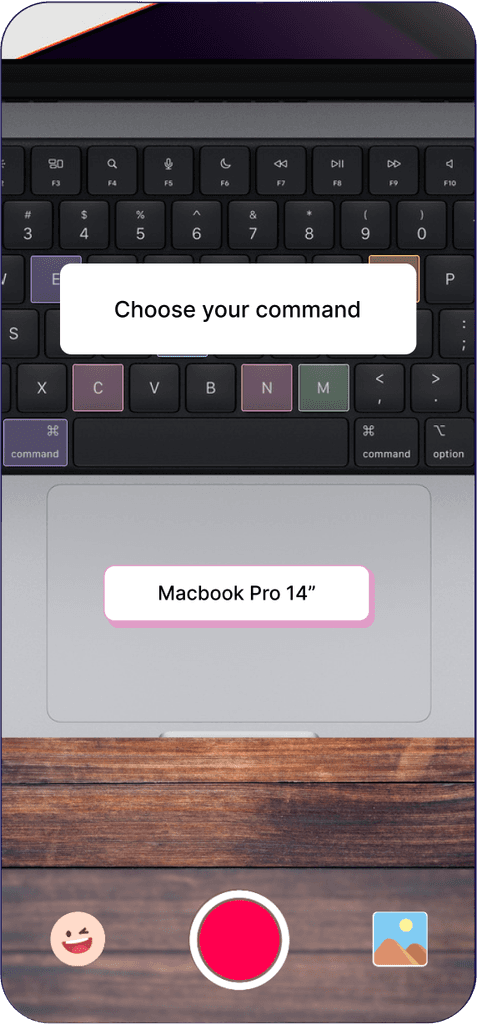
keyboard selection
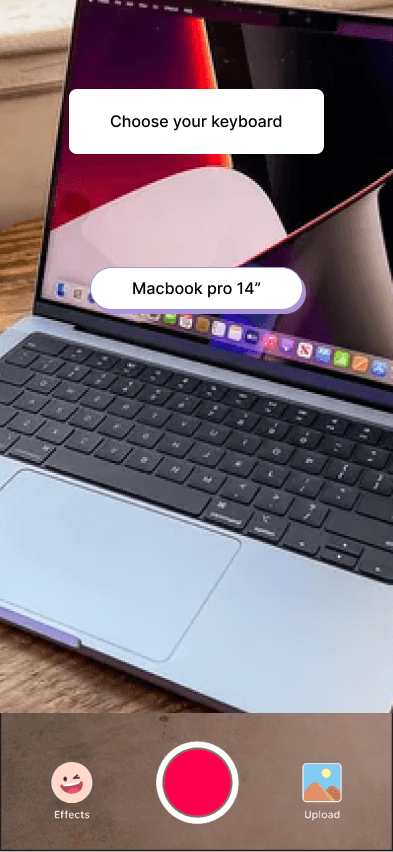
Users can select their device on this screen. (Only Macbook pro 14" is available currently since this a prototype in effect house.)
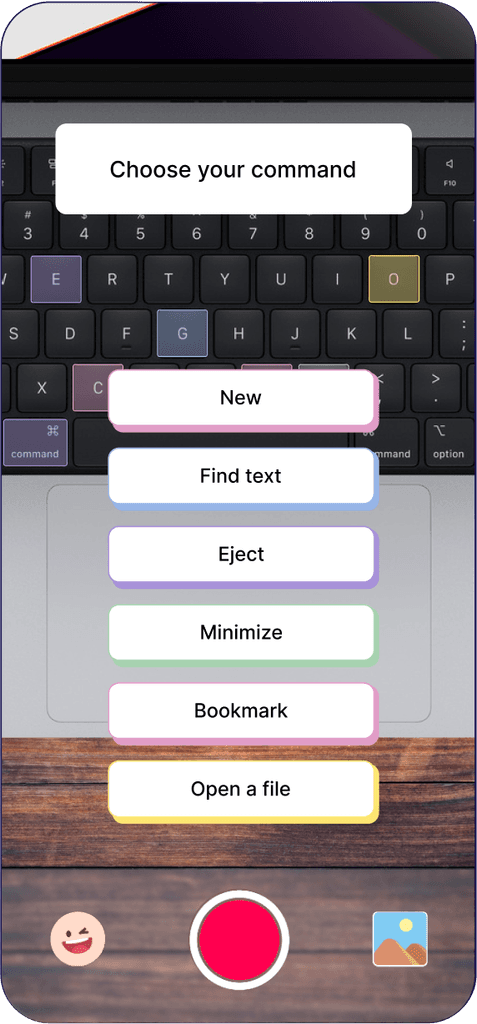
shortcut selection
This shows a menu of all the basic shortcuts that are offered in Mac OS. (The final project will include categories of shortcuts eg. basic, figma, etc.)
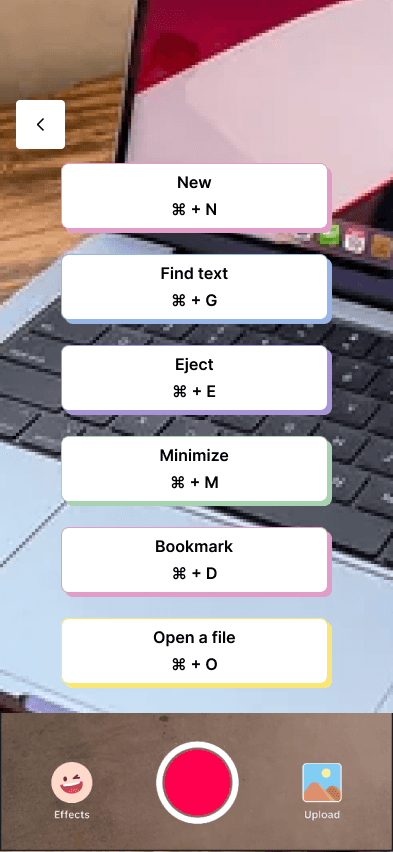
shortcut display
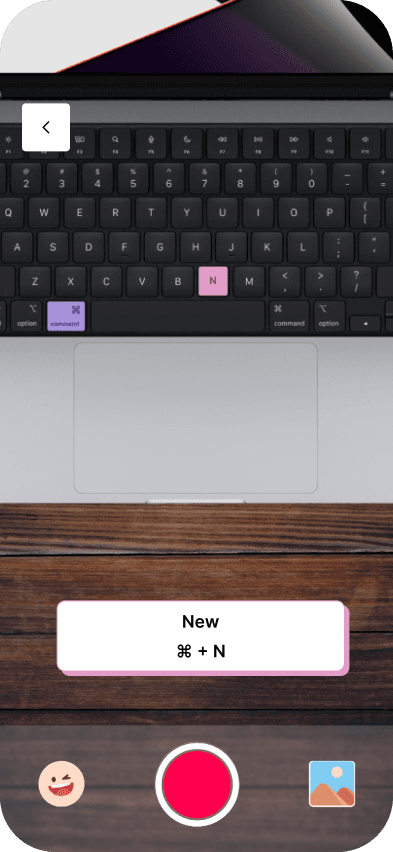
Target tracker will track the user's keyboard and highlight the keys. We also added the shortcut combination in the button for the ease of users.
keyboard selection
Users can select their device on this screen. (Only Macbook pro 14" is available currently since this a prototype in effect house.)
shortcut selection
This shows a menu of all the basic shortcuts that are offered in Mac OS. (The final project will include categories of shortcuts eg. basic, figma, etc.)
shortcut display
Target tracker will track the user's keyboard and highlight the keys. We also added the shortcut combination in the button for the ease of users.
keyboard selection
Users can select their device on this screen. (Only Macbook pro 14" is available currently since this a prototype in effect house.)
shortcut selection
This shows a menu of all the basic shortcuts that are offered in Mac OS. (The final project will include categories of shortcuts eg. basic, figma, etc.)
shortcut display
Target tracker will track the user's keyboard and highlight the keys. We also added the shortcut combination in the button for the ease of users.
keyboard selection
Users can select their device on this screen. (Only Macbook pro 14" is available currently since this a prototype in effect house.)
shortcut selection
This shows a menu of all the basic shortcuts that are offered in Mac OS. (The final project will include categories of shortcuts eg. basic, figma, etc.)
shortcut display
Target tracker will track the user's keyboard and highlight the keys. We also added the shortcut combination in the button for the ease of users.
Style Guide
Style Guide
Results
Results
Results

User ease in navigating the interface
User ease in navigating the interface
Success rates in remembering shortcuts
Success rates in remembering shortcuts
Efficiency improvement after Commandfreak training
Efficiency improvement after Commandfreak training
Future Prospects
Future Prospects
Future Prospects
The next steps for improvement include:
The next steps for improvement include:
AR Glasses technology not yet available to fully utilize this app and help users increase efficiency.
AR Glasses technology not yet available to fully utilize this app and help users increase efficiency.
Compatibility with different software
(Adobe Suite, Microsoft, etc.)
Compatibility with different software
(Adobe Suite, Microsoft, etc.)
Partnerships with Keyboard Companies
Partnerships with Keyboard Companies
Ability to make personal collections
Ability to make personal collections